Meta Description: Learn how website speed affects SEO, user experience and business conversions. Discover common speed issues and practical optimization strategies.
Focus Keyphrase: website speed
Secondary Keywords: website speed optimization, website performance, page speed SEO, mobile website speed, website conversions, Core Web Vitals, website performance optimization, responsive website
Search Intent: Informational + Commercial Investigation
Introduction
A potential customer searches for your business on Google, clicks your website, and then waits. Instead of exploring your services, the visitor may leave if the page takes too long to respond. For this reason, website speed is more than a technical performance metric. It can influence how people experience your brand, interact with your website, and move through your conversion journey. In addition, website performance has an important relationship with SEO. Google considers page experience signals, including Core Web Vitals, as part of its broader evaluation of web pages. Currently, Core Web Vitals include Largest Contentful Paint (LCP), Interaction to Next Paint (INP), and Cumulative Layout Shift (CLS). However, Google explains that there is no single page-experience signal and that Core Web Vitals should not be treated as a guarantee of higher rankings.

Website Speed: What Does It Actually Mean?
Website speed is more than page load time
Website speed broadly refers to how quickly a website loads, becomes visually usable, and responds to user interactions.
When someone opens a webpage, several stages can take place:
- First, the browser begins loading the page.
- Next, important content becomes visible.
- Then, images and other resources continue loading.
- After that, interactive elements become usable.
- Meanwhile, the page layout should remain visually stable.
- Finally, user interactions should receive an appropriate response.
Therefore, a website can appear visually loaded while still providing a poor interactive experience.
For example, a homepage may display its main banner quickly. However, if JavaScript prevents the navigation menu or enquiry button from responding properly, the visitor may still perceive the website as slow.
As a result, businesses should look beyond a single “page loading time” number when evaluating website performance.
Understanding Core Web Vitals
Google’s Core Web Vitals provide standardized measurements related to important aspects of web experience.
The three current Core Web Vitals are:
| Metric | What It Measures | Why It Matters |
|---|---|---|
| LCP | How quickly the main content becomes visible | Helps assess loading performance |
| INP | How quickly the page responds to user interactions | Helps assess responsiveness |
| CLS | How much the page layout unexpectedly shifts | Helps assess visual stability |
Google currently identifies LCP, INP and CLS as the Core Web Vitals used to assess important aspects of web experience.
These metrics are useful indicators of page experience. Nevertheless, they should be considered alongside the overall quality, relevance and usability of a webpage rather than treated as isolated SEO targets.
Why Website Speed Matters for SEO
Faster websites can support better page experience
SEO involves much more than keywords, backlinks and content.
A technically sound website gives both search engines and visitors a better environment in which to access and interact with content. Therefore, performance can form part of a broader technical SEO and website quality strategy.
Google’s page-experience guidance recommends looking at Core Web Vitals together with other aspects of the overall web experience. At the same time, Google states that good Core Web Vitals scores do not guarantee that pages will rank at the top of search results.
This distinction is important for businesses.
Instead of optimizing website speed solely because of an expected ranking increase, businesses should treat performance as one part of a broader SEO strategy. Content quality, search intent, technical accessibility, relevance, internal linking and authority continue to matter as well.
Website performance and mobile SEO
Mobile performance deserves particular attention because many customers discover businesses through smartphones.
A mobile visitor may be using:
- A slower mobile connection
- A budget smartphone
- Limited device memory
- A busy network
- A browser with multiple active processes
Consequently, a website that performs well on a powerful office computer may not provide the same experience on a mobile device.
This difference becomes especially relevant for local businesses in Chennai, Tamil Nadu, and other competitive markets. Customers may search for services, restaurants, shops, clinics, educational institutions and other businesses directly from their smartphones.
Therefore, mobile website speed should be evaluated independently instead of assuming that desktop performance represents the complete user experience.
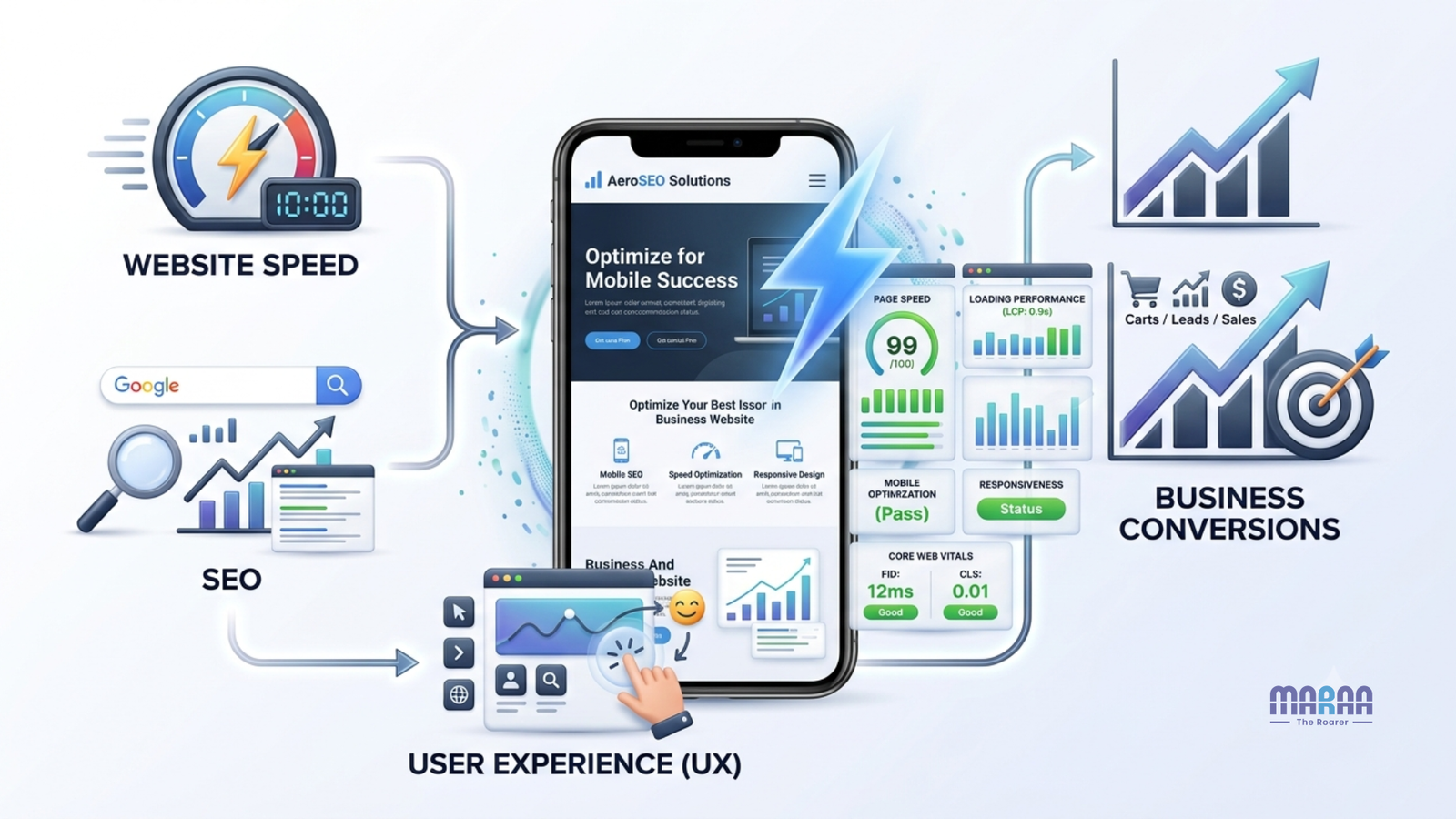
How Website Speed Affects User Experience
Slow websites create friction
People visit websites because they want information or want to complete a specific action.
For example, a visitor may want to:
- Read an article
- Find a phone number
- View a service
- Check product information
- Compare products
- Book an appointment
- Fill out a form
- Request a quotation
- Make an online purchase
Every unnecessary delay can create friction during these activities.
When visitors repeatedly wait for pages, images, menus or interactive elements, the overall experience can become frustrating. As a result, they may have more difficulty reaching the information or action they originally wanted.
Speed affects trust and perceived professionalism
A website often creates a customer’s first digital impression of a business.
Consider two companies offering similar services. One website loads efficiently, displays its services clearly, provides responsive navigation and offers a smooth enquiry process.
By comparison, another website may take longer to load, contain oversized images and have buttons that respond slowly.
Even if both businesses provide excellent offline services, the slower website may create an unnecessarily difficult digital experience.
Website speed does not automatically determine whether a company is trustworthy. Nevertheless, poor performance can contribute to a less professional user experience.
For this reason, businesses should consider performance alongside design, content, navigation and functionality when developing their websites.
How Website Speed Affects Business Conversions
Every conversion journey contains multiple opportunities for drop-off
A conversion does not always mean an online purchase.
For a service business, a conversion could be:
- Contact form submission
- Phone call
- WhatsApp enquiry
- Consultation request
- Quote request
For an ecommerce business, important actions may include:
- Product view
- Add to cart
- Checkout
- Purchase
Similarly, an educational institution may consider the following actions as conversions:
- Course enquiry
- Application submission
- Brochure download
- Admission enquiry
If a website becomes difficult to use at any stage, some visitors may abandon the process.
Therefore, website performance should be considered across the entire customer journey rather than only on the homepage.
Research shows that speed can influence conversion behaviour
Published Google research has connected improvements in mobile site speed with improvements across engagement and conversion-related metrics. However, research findings should be interpreted within the context of the businesses and websites studied rather than treated as universal guarantees.
The practical lesson is straightforward:
Website performance should be treated as part of conversion optimization, not as a separate technical task.
When important pages load efficiently and respond smoothly, users can move through the customer journey with less friction.
Common Problems That Make Websites Slow
Large and unoptimized images
High-resolution images can significantly increase page weight.
Common problems include:
- Uploading images that are much larger than their display dimensions
- Using inefficient image formats
- Loading unnecessary images
- Not using responsive image sizes
- Serving every image at maximum quality
As a result, a business website may look visually impressive while becoming unnecessarily difficult to load.
Image optimization should therefore focus on finding a practical balance between visual quality and performance.
Excessive JavaScript
JavaScript powers many modern website features. However, excessive or poorly optimized scripts can delay rendering and interaction.
Third-party scripts can also contribute to performance issues. These may include:
- Analytics tools
- Chat widgets
- Advertising scripts
- Tracking tools
- Social media embeds
- Marketing automation tools
For this reason, each script should have a clear purpose.
If a third-party feature does not provide meaningful business value, businesses should evaluate whether it needs to load on every page.
Too many plugins and unnecessary functionality
This issue is particularly relevant to WordPress websites.
Installing plugins without evaluating their performance impact can create unnecessary requests, scripts, database operations and compatibility issues.
Therefore, the objective should not be to install as many features as possible.
Instead, businesses should focus on providing the functionality customers actually need while keeping the website efficient.
Poor hosting or server configuration
Website performance is also influenced by hosting infrastructure.
A website may have optimized images and clean code but still perform poorly if the hosting environment is unsuitable for its traffic, application requirements or geographic audience.
When choosing hosting, businesses should consider:
- Server resources
- Server response time
- Traffic levels
- Caching support
- CDN compatibility
- Security
- Scalability
In addition, growing websites should periodically review whether their hosting environment continues to meet their requirements.
How to Solve Website Speed Problems
1. Measure the current performance
Optimization should begin with measurement rather than assumptions.
Businesses can use Google PageSpeed Insights to review website performance and identify potential optimization opportunities.
In addition, Google Search Console provides reports that can help businesses monitor Search performance and Core Web Vitals.
First, review both mobile and desktop performance. Next, identify the specific pages and resources creating problems.
It is also useful to distinguish between laboratory measurements and real-user data where available.
A performance score can provide useful direction. However, it should not become the only objective.
Instead, ask:
“Which specific performance problems are affecting real users and important business pages?”
That question helps connect technical improvements with actual business requirements.
2. Optimize images
Image optimization is one of the most practical starting points for many websites.
Consider the following improvements:
- Compress large images
- Use modern image formats where appropriate
- Serve images at suitable dimensions
- Use responsive image techniques
- Lazy-load images that are not immediately visible
- Avoid unnecessary background images
At the same time, do not compress every image to extremely low quality.
The goal is to maintain an appropriate balance between visual quality and website performance.
3. Improve caching
Caching allows frequently requested resources to be reused rather than generated or downloaded unnecessarily every time.
Depending on the website architecture, caching may involve:
- Browser caching
- Server-side caching
- Page caching
- Object caching
- CDN caching
However, the correct caching approach depends on the website platform, application architecture and hosting environment.
4. Reduce unnecessary JavaScript and CSS
Review the resources that load on every page.
Ask these questions:
- Is this script necessary?
- Is it required immediately?
- Can it be deferred?
- Can unused code be removed?
- Can CSS and JavaScript delivery be optimized?
- Is a third-party service genuinely contributing business value?
By answering these questions, developers can identify resources that may be reduced, deferred or removed.
As a result, both loading and interaction performance may improve.
5. Use a suitable hosting and CDN strategy
For websites serving visitors across multiple regions, a Content Delivery Network can help deliver static resources from locations closer to users.
However, a CDN is not a magic solution for every performance problem.
If the underlying website is poorly developed, overloaded with scripts or serving unnecessarily large resources, adding a CDN alone may not solve the root cause.
Therefore, businesses should address underlying performance issues before relying on a CDN as the only solution.
6. Improve server response time
The server needs to process requests efficiently before the browser can receive the required resources.
Depending on the website, performance improvements may involve:
- Better hosting
- Database optimization
- Server-side caching
- Efficient application code
- Query optimization
- Removing unnecessary processes
For dynamic websites, server-side performance can become particularly important as functionality and traffic increase.
Therefore, backend performance should be considered alongside frontend optimization.
Business Benefits of Improving Website Speed
Better user experience
A fast and responsive website allows visitors to move through pages with less friction.
This can be particularly useful for mobile users who are researching products or services while comparing multiple businesses.
As the browsing experience becomes smoother, customers can find information and complete important actions more easily.
Stronger SEO foundation
Website performance is one part of a broader technical and page-experience strategy.
Improving speed can contribute to a technically healthier website. Meanwhile, other SEO activities can focus on content quality, search intent, internal linking, authority and relevance.
Therefore, speed optimization should support SEO rather than replace the wider search strategy.
Better conversion opportunities
A faster experience can make it easier for users to complete important actions.
For this reason, businesses should not focus only on making the homepage faster. Instead, prioritize pages that directly influence revenue or lead generation.
These may include:
- Service pages
- Product pages
- Landing pages
- Contact pages
- Checkout pages
- Booking pages
By focusing on these pages, businesses can connect technical performance work with important customer journeys.
Better mobile experience
Performance improvements can make a meaningful difference for users on smartphones and less powerful devices.
Furthermore, businesses targeting local customers should pay close attention to mobile performance. A potential customer may discover the business, review its services and make contact entirely through a smartphone.
Best Practices for Website Speed Optimization
Prioritize business-critical pages
Not every page needs the same level of attention.
First, identify pages that receive:
- High organic traffic
- Paid traffic
- High commercial intent
- High conversion importance
- Significant mobile traffic
Then, prioritize performance improvements based on business impact.
This approach helps teams focus their resources where they are most useful.
Test before and after optimization
Measure performance before making changes.
Afterward, test the website again.
This comparison helps determine whether an update actually improved performance instead of simply assuming that a technical change worked.
In addition, testing can reveal unexpected issues introduced by an optimization.
Monitor Core Web Vitals continuously
Website performance can change after:
- Plugin updates
- Theme changes
- New tracking tools
- Website redesigns
- New images
- New marketing integrations
- Hosting changes
Therefore, performance monitoring should be ongoing rather than a one-time activity.
Google Search Console can also be used to monitor Core Web Vitals reports across mobile and desktop experiences.
Balance design and performance
A fast website does not need to be visually boring.
Instead, the goal should be to combine:
Design + usability + functionality + performance + SEO.
For example, a website can use strong visual design while still optimizing image sizes, animations, fonts and scripts.
DigiMaraa Technologies’ website development services also emphasize responsive design, mobile optimization and performance-focused WordPress development.
Common Mistakes to Avoid
Focusing only on a PageSpeed score
A high PageSpeed score can provide useful information. However, it should not become the entire optimization strategy.
Real-user experience, conversion behaviour and important business pages also matter.
Therefore, businesses should use performance scores as diagnostic tools rather than treating them as the only measure of success.
Installing too many performance plugins
Adding multiple optimization plugins can sometimes create conflicts or duplicate functionality, particularly on WordPress.
For this reason, review what is already implemented before adding another optimization layer.
A simpler setup can often make website performance management easier.
Optimizing only desktop performance
A website may perform well on a fast desktop connection but poorly on mobile.
Consequently, businesses should always evaluate mobile performance separately.
Mobile testing is particularly important when a significant portion of website visitors use smartphones.
Removing useful features simply to make a website faster
Performance optimization does not automatically mean removing every interactive element.
Instead, identify whether a feature genuinely contributes to the customer journey. After that, determine whether the feature can be implemented more efficiently.
This approach allows businesses to balance functionality and performance.
Ignoring performance after a redesign
A website redesign can introduce heavier images, new scripts, animation libraries, third-party integrations and additional functionality.
As a result, a previously fast website may become slower after major changes.
Performance should therefore be tested before and after significant redesigns or development updates.
Expert Tips from DigiMaraa Technologies
Website speed should be approached as a business performance issue, not only as a developer checklist.
For a new website, performance should be considered during architecture, design and development. Doing so can help prevent avoidable performance problems from appearing later.
For an existing website, DigiMaraa Technologies recommends beginning with a performance audit. Next, identify the highest-impact issues before making technical changes.
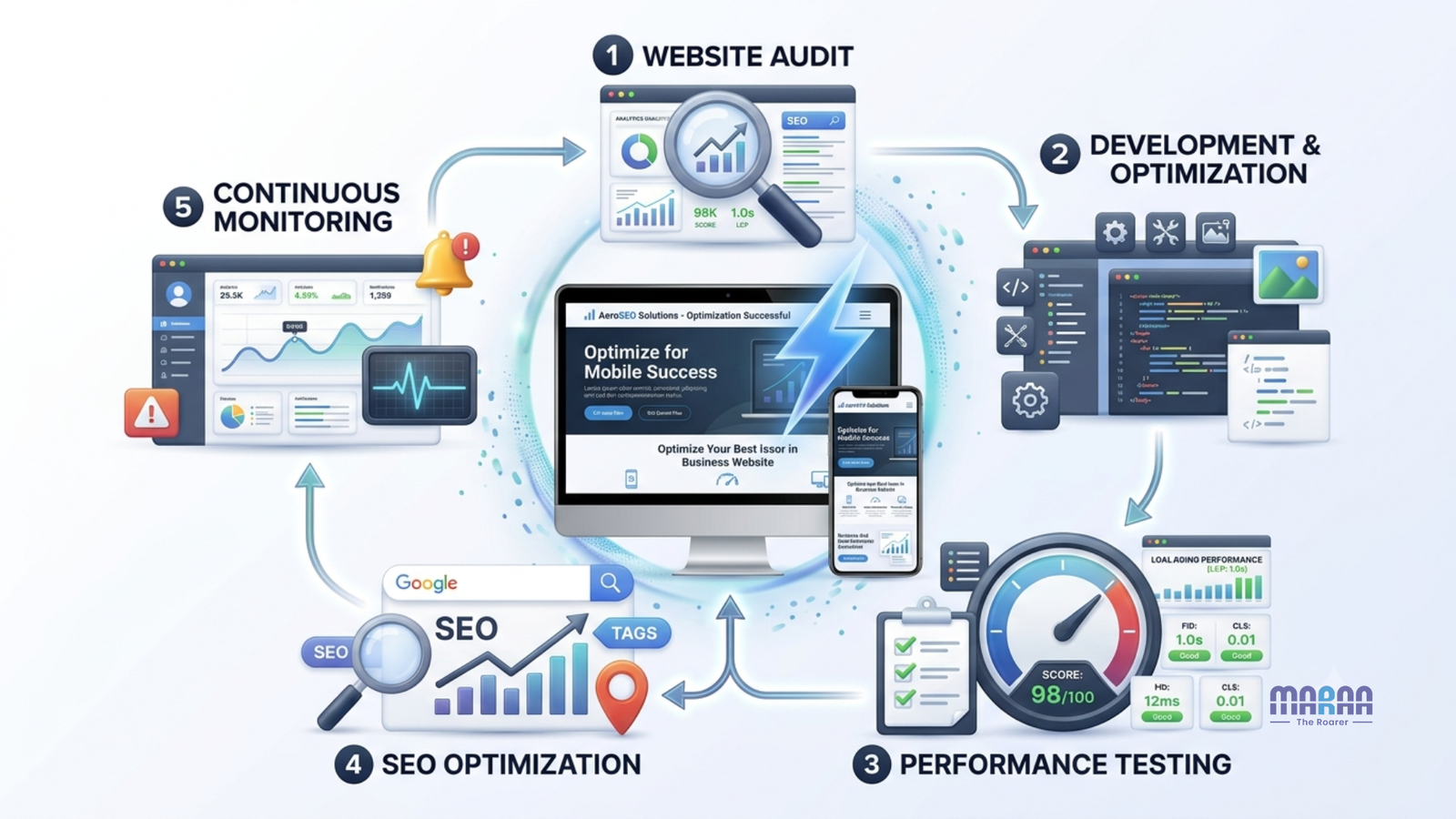
A practical optimization process can include:
- Identify important business pages.
- Measure mobile and desktop performance.
- Review Core Web Vitals and supporting performance metrics.
- Identify large assets and unnecessary resources.
- Review hosting and server response.
- Check third-party scripts.
- Optimize images and caching.
- Improve frontend and backend performance.
- Test important conversion journeys.
- Monitor performance after deployment.
Furthermore, businesses considering a new website can explore DigiMaraa Website Development Services for WordPress, WooCommerce, Shopify, static, dynamic and custom website requirements.
Businesses using WordPress can also explore DigiMaraa WordPress Website Development Services when planning a performance-focused website.
For businesses where organic visibility is a priority, website performance should work alongside a broader SEO strategy. In other words, speed should support content and search optimization rather than be treated as a replacement for them.
Frequently Asked Questions
Does website speed affect SEO?
Yes, website speed and page experience are relevant to Google’s broader search guidance, including Core Web Vitals. However, speed is not a standalone guarantee of higher rankings.
Google explains that its ranking systems consider multiple page-experience aspects rather than relying on one single signal.
Therefore, businesses should treat website speed as one component of a broader SEO strategy.
What are Core Web Vitals?
Core Web Vitals are user-focused performance metrics used to evaluate important aspects of web experience.
Currently, the three metrics are:
- LCP for loading performance
- INP for responsiveness
- CLS for visual stability
Together, these metrics provide useful insight into important aspects of the user experience.
Why is website speed important for mobile users?
Mobile users may have slower connections and less powerful devices than desktop users.
As a result, an unnecessarily heavy website can create additional friction. For this reason, mobile performance should be tested independently instead of assuming that desktop performance represents the complete experience.
Can a slow website reduce conversions?
A slow or unresponsive website can create friction during a user’s journey and may contribute to abandonment.
However, conversion behaviour varies according to the website, audience, industry and customer journey. Therefore, businesses should evaluate performance improvements alongside their own conversion data.
How can I check my website speed?
Businesses can use Google PageSpeed Insights to analyze website performance.
In addition, Google Search Console can help businesses monitor Search performance and Core Web Vitals.
Combining automated testing with real-user data where available can provide a more complete view of website performance.
Is WordPress suitable for a fast website?
Yes. WordPress can be used to build a fast website when the theme, plugins, hosting, images, caching and code are appropriately configured.
However, performance depends on implementation rather than simply the choice of CMS.
For businesses using WordPress, the technical setup should therefore be reviewed as a complete system.
Does a CDN automatically make a website fast?
No. A CDN can improve the delivery of certain resources, particularly for geographically distributed visitors.
However, it does not automatically fix inefficient code, oversized images, poor hosting configuration or excessive third-party scripts.
For this reason, businesses should address the underlying performance problems as well.
Should I prioritize website speed or website design?
Businesses generally do not need to choose between the two.
A well-planned website can combine strong visual design with efficient performance. Therefore, design decisions should consider image sizes, animations, fonts, scripts and mobile usability from the beginning.
The objective is to create a website that looks professional while remaining efficient and easy to use.
How often should website performance be checked?
Website performance should be reviewed after major website changes and monitored periodically.
For example, plugin updates, redesigns, new integrations, content changes and traffic growth can all affect performance.
As a result, ongoing monitoring is more useful than relying on a single performance test.
Conclusion
Website speed influences much more than how quickly a page appears on a screen. It can affect how easily users navigate a website, interact with content, complete important actions and experience a brand. From an SEO perspective, performance should be considered alongside content quality, technical SEO, relevance, accessibility and overall page experience. At the same time, Core Web Vitals should not be treated as a guaranteed ranking shortcut. Instead, they should form part of a broader approach to creating a useful, accessible and technically sound website. From a business perspective, the most valuable approach is to connect performance improvements with actual customer journeys. Rather than focusing only on a speed score, businesses should consider whether important pages load efficiently, respond smoothly and help visitors take the next step.
The goal is to build a website that loads efficiently, responds smoothly, supports SEO and makes it easier for customers to take the next step.
Final CTA
If you’re planning to build, redesign or improve your business website, DigiMaraa Technologies can help you evaluate the right combination of website architecture, performance, user experience and SEO based on your business goals.
Explore DigiMaraa Website Development Services or DigiMaraa WordPress Website Development Services to learn more about building a professional, scalable and performance-focused digital presence.